
Viewed 40 Times
0 Comments
Date : 14.04.2022
You can revoke the device either using a PC or a Mobile device.
-First using PC
-
Go to your Google Account.
-
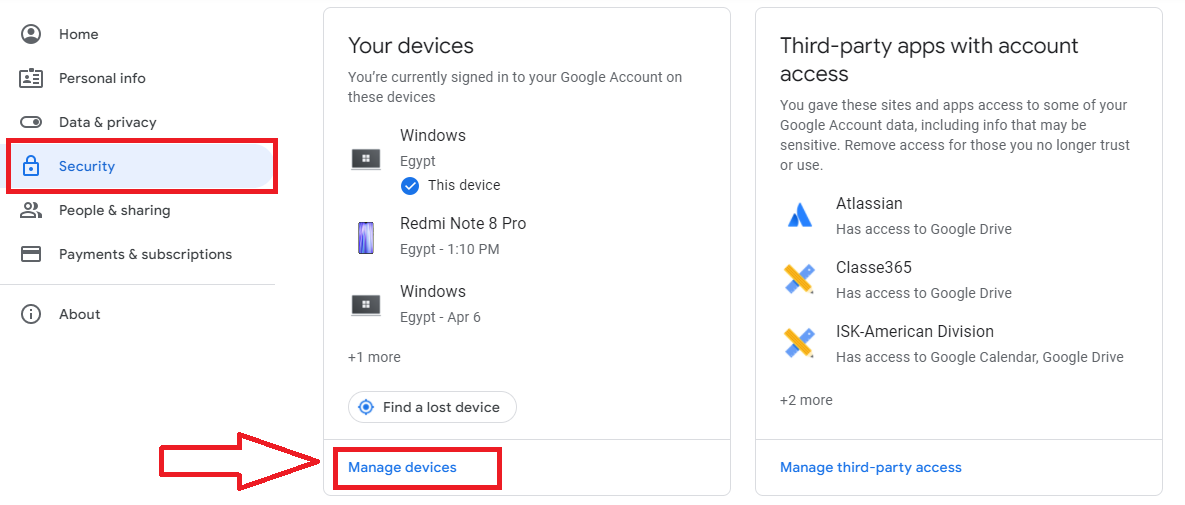
On the left navigation panel, select Security.
-
On the Your devices panel, select Manage devices.
-
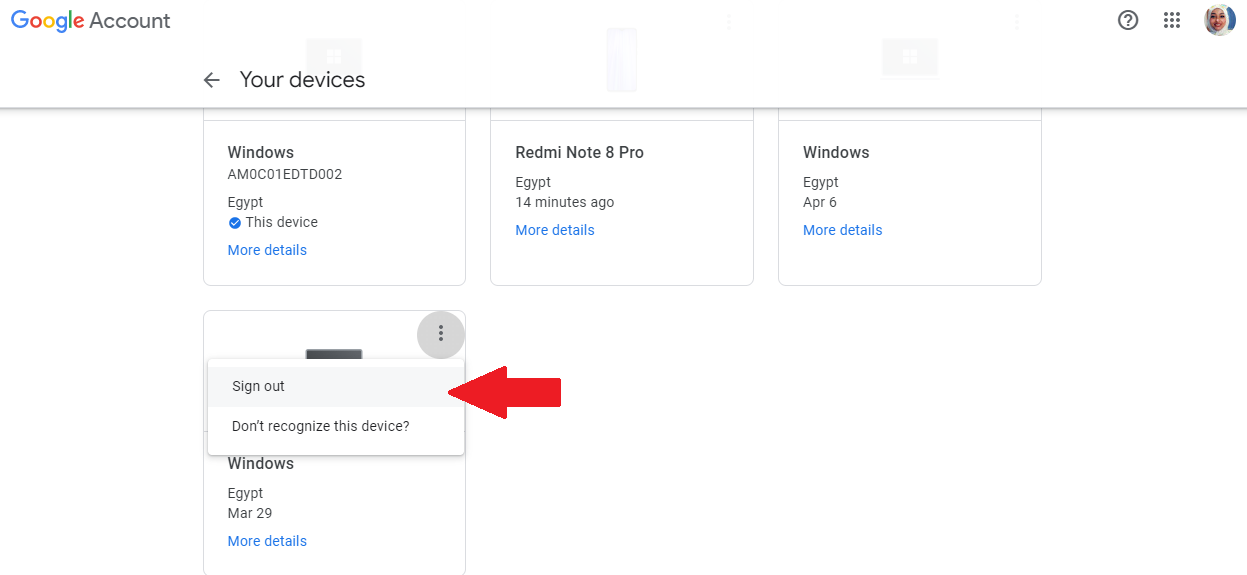
You’ll see devices where you’re currently signed in to your Google Account, Select the device
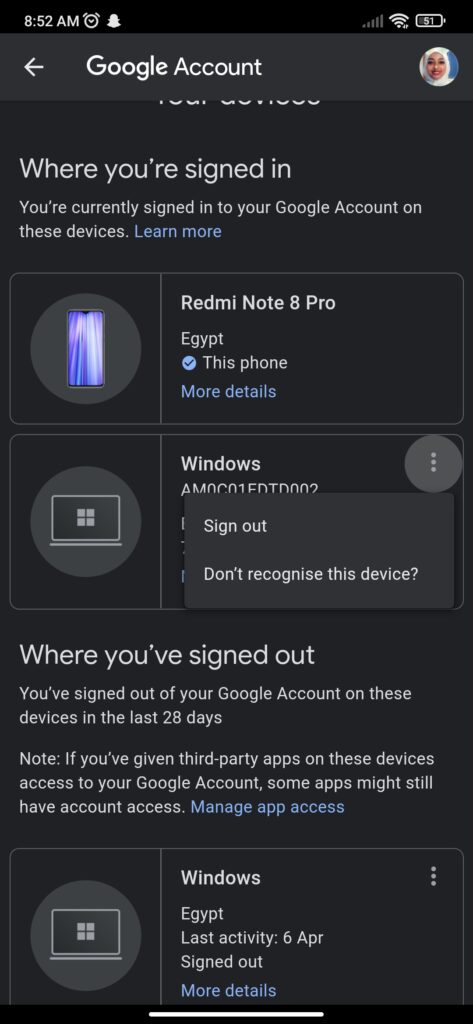
Sign out.
-Or using Mobile Phone
- Go to your Mobile settings.
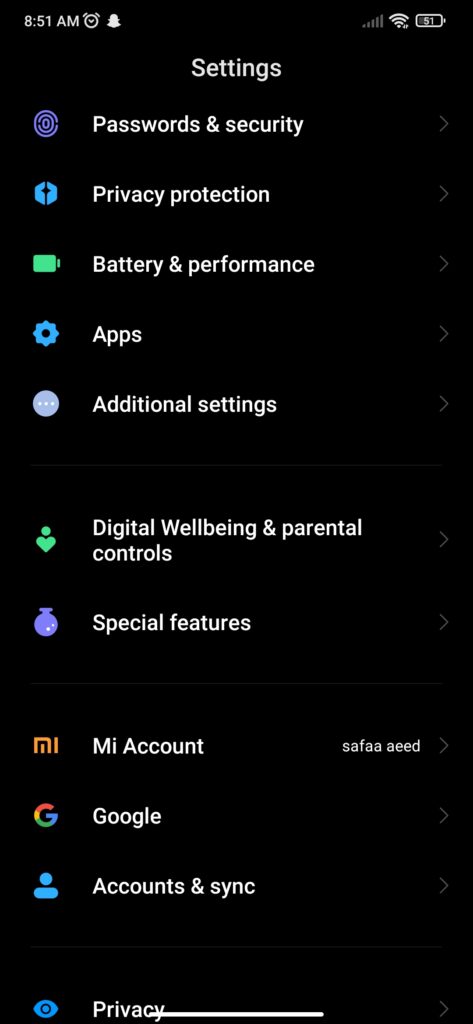
- Open Google
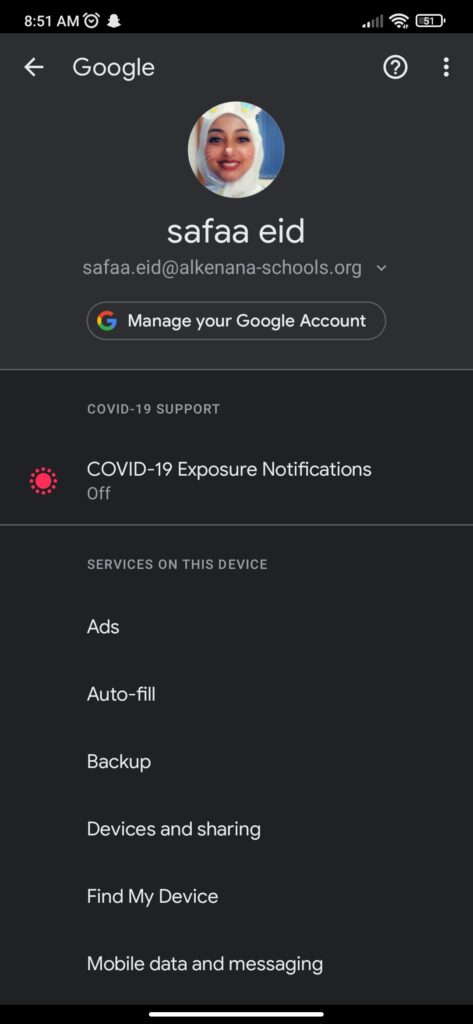
- Open “Manage Your Google Account”.
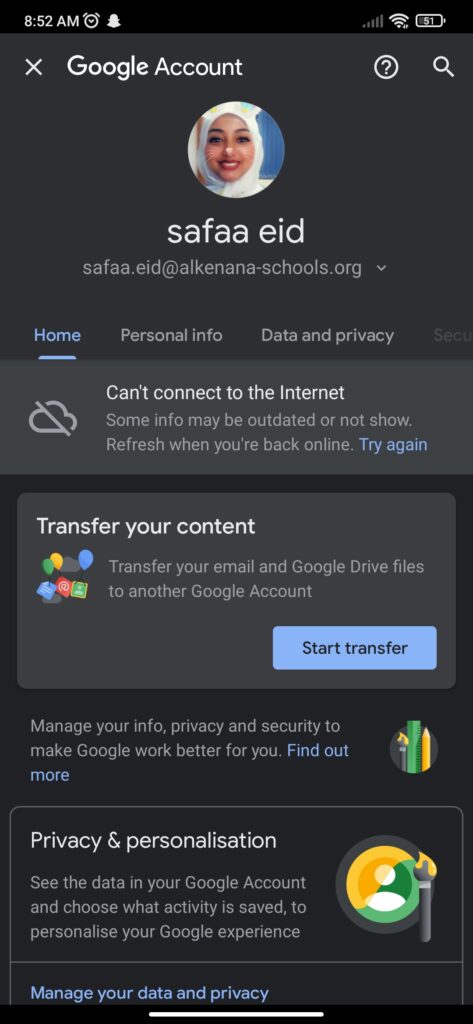
- Go to “Security”.
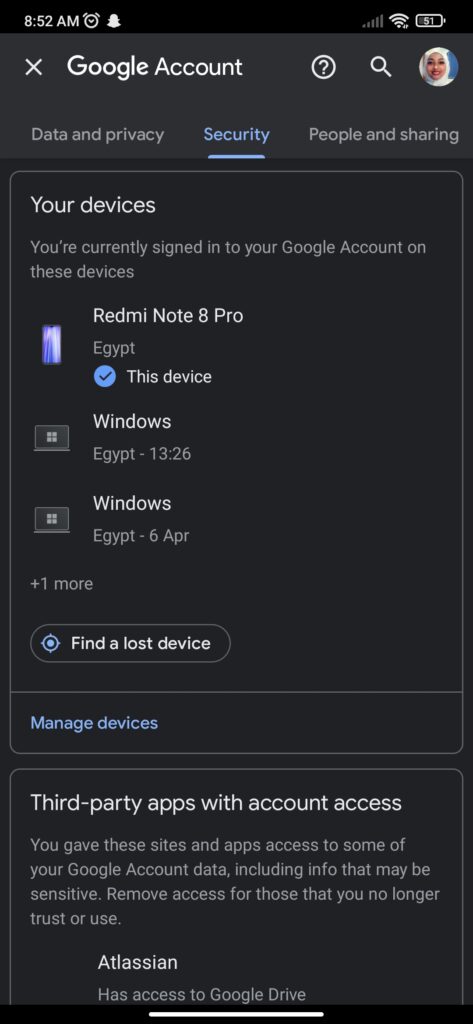
- select Manage devices.
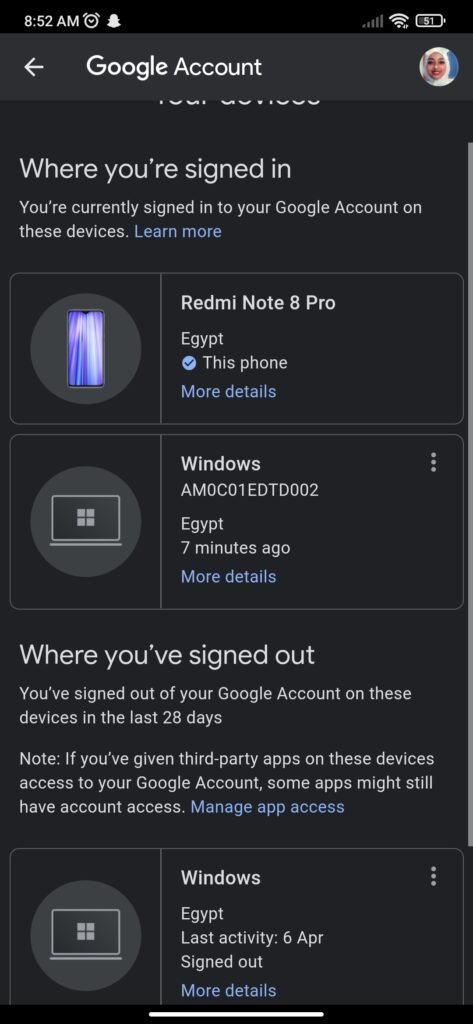
- Select the device
Was this answer helpful ?
Yes
(0)
/
No
(0)